Transform Your YouTube Channel with a Notion YouTube Planner
Creating consistent, high-quality YouTube content requires more than just hitting record. Successful YouTubers know that behind every viral video is a well-organized content strategy. That’s where a notion youtube planner becomes your secret weapon for channel growth and content management.
Whether you’re a beginner creator or managing multiple channels, having a centralized system to plan, track, and optimize your content is essential. A comprehensive YouTube planner helps you stay organized, maintain consistency, and ultimately grow your audience more effectively.
Why Every YouTuber Needs a Notion YouTube Planner
YouTube success doesn’t happen by accident. The most successful creators use systematic approaches to content planning, and here’s why you should too:
- Consistency is King: Regular uploads keep your audience engaged and help with YouTube’s algorithm
- Content Quality: Planning ahead allows for better research, scripting, and production value
- Analytics Tracking: Monitor what works and what doesn’t to refine your strategy
- Time Management: Batch content creation and streamline your workflow
- Goal Achievement: Track progress toward subscriber, view, and revenue milestones
A well-structured notion youtube planner addresses all these needs in one comprehensive system, making it easier than ever to manage your YouTube presence professionally.
Essential Features of an Effective YouTube Content Planner
When choosing or creating your YouTube planning system, look for these crucial components:
1. Content Calendar and Scheduling
Your planner should include a visual calendar that shows:
- Upload dates and times
- Content themes and series
- Seasonal and trending topics
- Collaboration deadlines
- Live stream schedules
2. Video Production Pipeline
Track each video through every stage of production:
- Idea generation and research
- Script writing and storyboarding
- Filming and recording
- Editing and post-production
- Thumbnail creation and optimization
- Publishing and promotion
3. Analytics and Performance Tracking
Monitor key metrics to understand your channel’s growth:
- Views, likes, and comments per video
- Subscriber growth rates
- Watch time and audience retention
- Click-through rates on thumbnails
- Revenue and monetization data
4. SEO and Optimization Tools
Your notion youtube planner should help with:
- Keyword research and tracking
- Title and description optimization
- Tag management
- Thumbnail A/B testing results
- Competitor analysis
How to Set Up Your Ultimate YouTube Channel Planner
Getting started with a comprehensive YouTube planning system doesn’t have to be overwhelming. Here’s a step-by-step approach to organizing your content effectively:
Step 1: Define Your Content Strategy
Before diving into the technical setup, establish your channel’s foundation:
- Identify your target audience and their interests
- Define your content pillars (3-5 main topics you’ll cover)
- Set realistic upload schedules (weekly, bi-weekly, etc.)
- Establish your unique value proposition
Step 2: Create Your Content Database
Build a comprehensive database that includes:
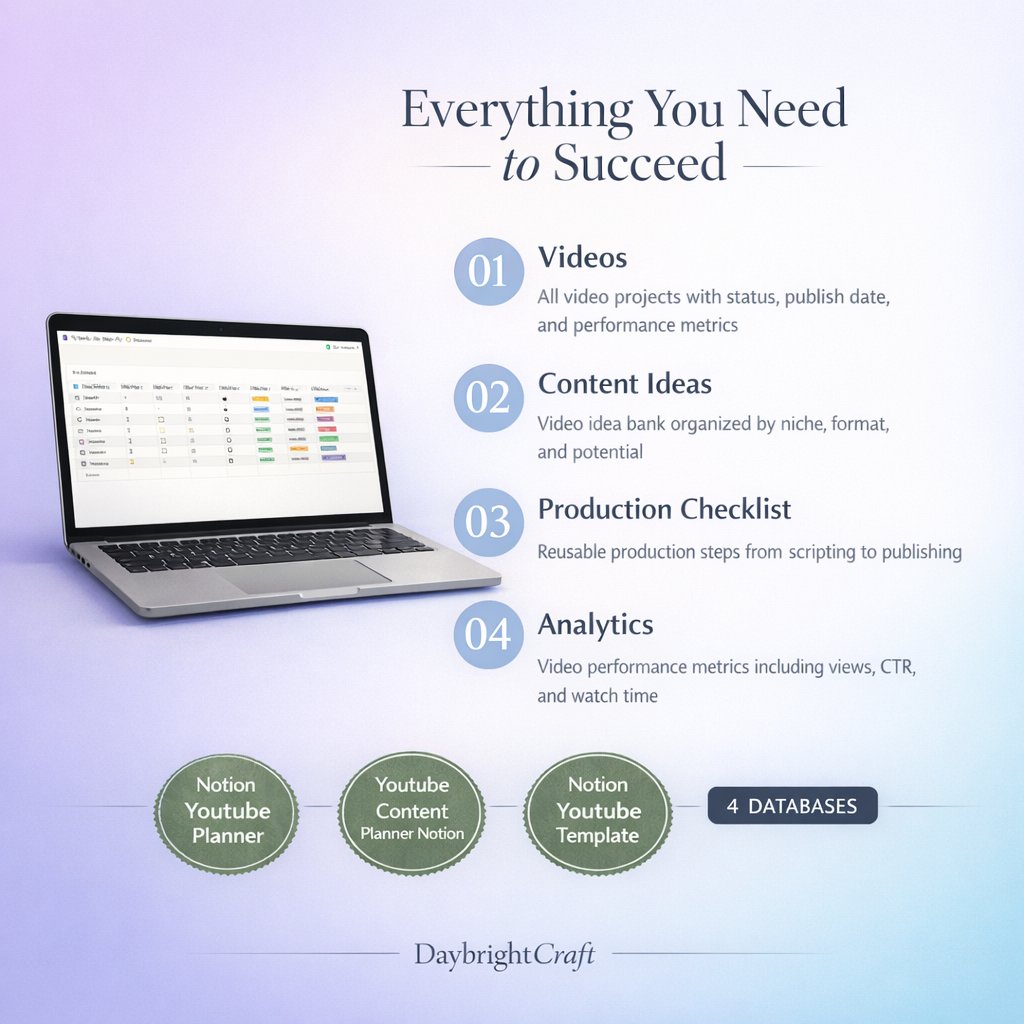
- Video Ideas: Brainstorm and store potential topics
- Production Status: Track where each video is in the pipeline
- Publishing Details: Titles, descriptions, tags, and thumbnails
- Performance Metrics: Views, engagement, and revenue data
Step 3: Implement Your Content Calendar
Your calendar should provide both monthly and weekly views, showing:
- Scheduled upload dates
- Content themes and series
- Important deadlines
- Promotional activities
Step 4: Set Up Analytics Tracking
Create systems to monitor:
- Channel growth metrics
- Individual video performance
- Audience engagement patterns
- Revenue and monetization progress
Maximizing Productivity with Your Notion YouTube Planner
Once your system is set up, here are proven strategies to get the most out of your YouTube planner:
Batch Content Creation
Use your planner to organize batch creation sessions:
- Plan multiple videos in one brainstorming session
- Film several videos in one day
- Batch edit and optimize content
- Schedule uploads in advance
Track What Works
Your notion youtube planner should help you identify patterns:
- Which topics generate the most engagement
- Optimal posting times for your audience
- Thumbnail styles that get more clicks
- Video lengths that retain viewers
Plan for Growth
Use your planner to set and track goals:
- Monthly subscriber targets
- View count objectives
- Revenue milestones
- Collaboration opportunities
Advanced Features for Serious Content Creators
As your channel grows, your planning needs become more sophisticated. Advanced features to look for include:
Multi-Channel Management
If you manage multiple channels, your planner should handle:
- Cross-channel content coordination
- Resource allocation between channels
- Performance comparison tools
- Unified analytics dashboard
Team Collaboration Tools
For creators working with teams:
- Task assignment and tracking
- Deadline management
- File sharing and version control
- Communication logs
Monetization Tracking
Monitor various revenue streams:
- Ad revenue from YouTube Partner Program
- Sponsorship and brand deal tracking
- Merchandise sales
- Channel membership income
Getting Started with the Ultimate YouTube Channel Planner
Ready to transform your YouTube content strategy? The Ultimate YouTube Channel Planner & Content Manager provides everything you need to organize, track, and optimize your YouTube presence. This comprehensive system includes all the features discussed in this guide, from content calendars to analytics tracking, designed specifically for serious content creators.
This professional-grade planner eliminates the guesswork from YouTube content management, helping you focus on what matters most: creating amazing content that resonates with your audience.
Tips for Long-Term Success
Your notion youtube planner is only as effective as how consistently you use it. Here are tips for long-term success:
- Make it a habit: Update your planner daily, even if just for a few minutes
- Review regularly: Weekly reviews help you stay on track and adjust strategies
- Stay flexible: Your planner should adapt as your channel grows and changes
- Celebrate wins: Use your planner to track and celebrate milestones
Remember, the best planner is one you actually use. Start simple and gradually add more sophisticated features as you become comfortable with the system.
Conclusion
A well-organized notion youtube planner is the foundation of every successful YouTube channel. By implementing a comprehensive content management system, you’ll save time, improve content quality, and accelerate your channel’s growth. Whether you’re just starting out or looking to scale your existing channel, investing in proper planning tools will pay dividends in your YouTube journey.
Take control of your content strategy today and watch as your organized approach transforms your YouTube success. With the right planner in place, you’ll spend less time on administrative tasks and more time creating the content your audience loves.
Leave a Reply