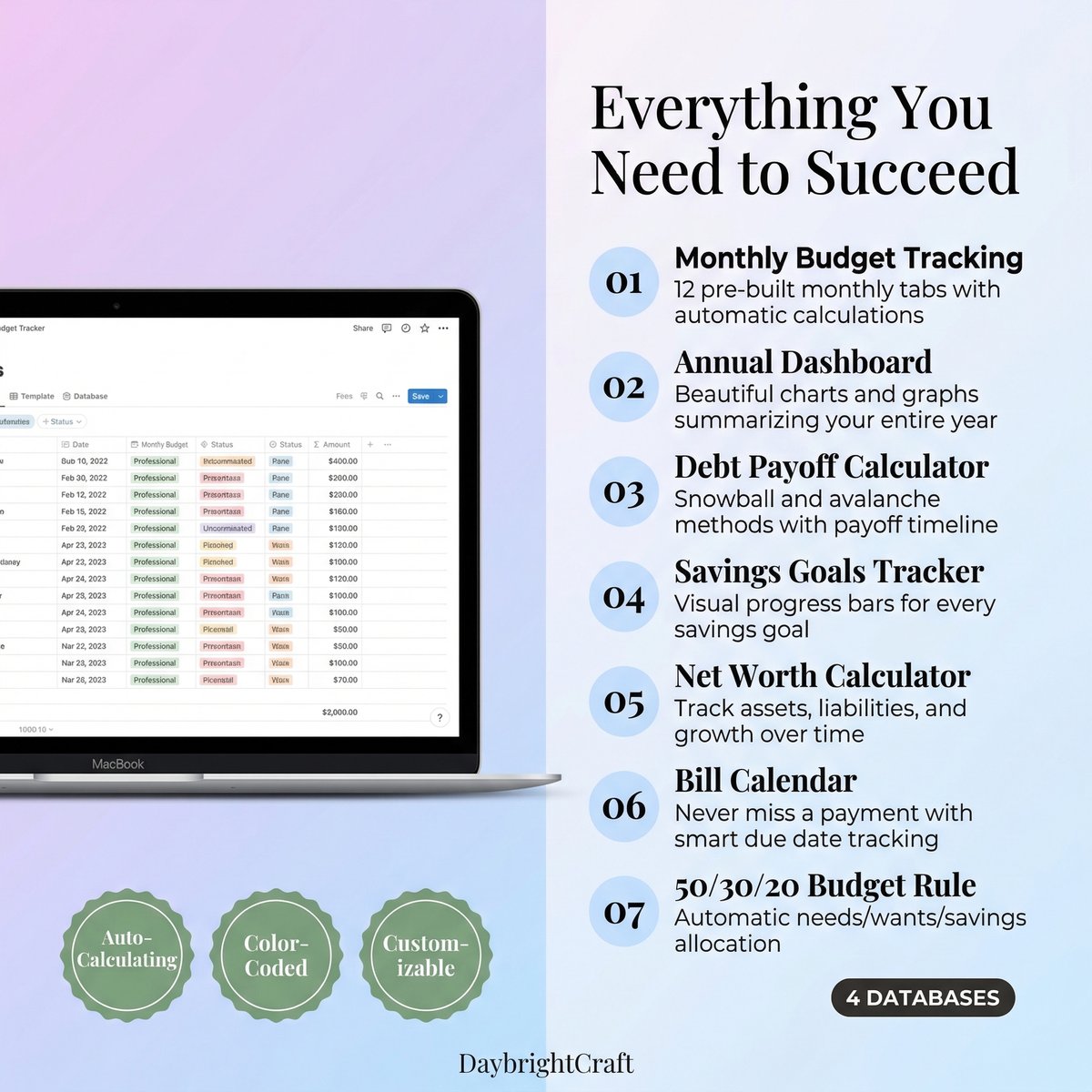
Managing your finances effectively has never been more important, and a notion budget tracker offers one of the most flexible and powerful ways to take control of your money in 2026. Unlike traditional budgeting apps that lock you into rigid structures, Notion allows you to create a completely customized financial tracking system that adapts to your unique needs and goals.
Whether you’re a budgeting beginner or a financial planning pro, this comprehensive guide will walk you through everything you need to know about creating and optimizing your notion budget tracker for maximum effectiveness.
Why Choose a Notion Budget Tracker in 2026?
The financial landscape continues to evolve rapidly, and your budgeting tools need to keep pace. Here’s why a notion budget tracker stands out as the superior choice for modern money management:
- Complete Customization: Unlike cookie-cutter budgeting apps, Notion lets you build exactly what you need
- All-in-One Solution: Combine budgeting with goal tracking, expense analysis, and financial planning
- Real-Time Collaboration: Share and collaborate on budgets with family members or financial advisors
- Advanced Automation: Use formulas and templates to automate calculations and reduce manual entry
- Visual Analytics: Create charts, graphs, and dashboards to visualize your financial progress
- Scalable Design: Start simple and add complexity as your financial needs grow
The beauty of using Notion for budget tracking lies in its flexibility. You can start with a basic income and expense tracker and gradually build it into a comprehensive financial management system that includes investment tracking, debt payoff plans, and long-term financial goals.
Essential Components of an Effective Notion Budget Tracker
Before diving into the setup process, let’s explore the key components that make a notion budget tracker truly effective:
1. Income Tracking Database
Your income database should capture all sources of money coming in, including:
- Primary salary or wages
- Side hustle earnings
- Investment dividends
- Rental income
- Freelance payments
- Government benefits
Each income entry should include the date, source, amount, and category. This comprehensive tracking helps you understand your true earning potential and identify opportunities for income growth.
2. Expense Categories and Tracking
Organize your expenses into clear categories that reflect your spending patterns:
- Fixed Expenses: Rent, insurance, loan payments
- Variable Necessities: Groceries, utilities, transportation
- Discretionary Spending: Entertainment, dining out, hobbies
- Savings and Investments: Emergency fund, retirement, investment accounts
Your expense tracking should include date, amount, category, description, and payment method. This level of detail enables powerful analysis and helps identify spending patterns.
3. Budget vs. Actual Analysis
The heart of any effective notion budget tracker is the ability to compare planned spending with actual expenses. This analysis should include:
- Monthly budget allocations by category
- Running totals of actual spending
- Variance calculations (over/under budget)
- Percentage-based analysis
- Trend identification over time
Step-by-Step Guide to Building Your Notion Budget Tracker
Now let’s walk through the process of creating your own notion budget tracker from scratch. Don’t worry if you’re new to Notion – we’ll cover everything you need to know.
Step 1: Set Up Your Main Dashboard
Start by creating a new page in Notion that will serve as your financial dashboard. This page should provide a high-level overview of your financial health at a glance.
Create sections for:
- Current month summary
- Budget vs. actual spending
- Savings goals progress
- Upcoming bills and payments
- Quick expense entry
Step 2: Create Your Income Database
Add a new database to track all income sources. Include these properties:
- Date: When you received the income
- Source: Where the money came from
- Amount: How much you received
- Category: Type of income (salary, freelance, etc.)
- Status: Received, pending, or expected
Step 3: Build Your Expense Tracking System
Create a comprehensive expense database with these essential properties:
- Date: When the expense occurred
- Description: What you purchased
- Amount: How much you spent
- Category: Expense category
- Payment Method: Cash, credit card, bank transfer
- Necessity: Need vs. want classification
Step 4: Implement Budget Planning
Create a budget planning database that sets spending limits for each category. This should include:
- Monthly budget amounts by category
- Annual budget projections
- Percentage allocations
- Priority rankings
Advanced Notion Budget Tracker Features
Once you have the basics in place, you can enhance your notion budget tracker with advanced features that provide deeper insights and automation.
Formula-Based Calculations
Notion’s formula feature allows you to automate complex calculations. Here are some essential formulas for your budget tracker:
- Remaining Budget: Calculate how much you have left to spend in each category
- Savings Rate: Automatically calculate what percentage of income you’re saving
- Expense Ratios: Track what percentage of income goes to different categories
- Variance Analysis: Compare actual spending to budgeted amounts
Automated Reports and Analytics
Set up automated views and reports that help you understand your financial patterns:
- Monthly Spending Reports: Automatically generate summaries of monthly expenses
- Category Analysis: See which categories consistently go over or under budget
- Trend Analysis: Track how your spending patterns change over time
- Goal Progress Tracking: Monitor progress toward savings and debt payoff goals
Integration with External Tools
While Notion is powerful on its own, you can enhance your budget tracker by integrating with other financial tools:
- Bank account connections for automatic transaction import
- Credit card statement analysis
- Investment portfolio tracking
- Bill reminder systems
Optimizing Your Notion Budget Tracker for Success
Creating your notion budget tracker is just the beginning. Here are proven strategies to ensure long-term success with your financial tracking system:
1. Establish Consistent Habits
The most sophisticated budget tracker won’t help if you don’t use it consistently. Develop these habits:
- Daily expense logging (even small purchases)
- Weekly budget reviews
- Monthly goal assessment
- Quarterly system optimization
2. Start Simple and Evolve
Don’t try to build the perfect system immediately. Start with basic income and expense tracking, then gradually add features like:
- Savings goal tracking
- Debt payoff calculators
- Investment monitoring
- Tax planning tools
3. Use Visual Elements
Notion’s visual capabilities can make your budget tracker more engaging and easier to understand:
- Progress bars for savings goals
- Color-coded expense categories
- Charts and graphs for trend analysis
- Dashboard widgets for quick insights
Common Mistakes to Avoid
Learn from others’ experiences by avoiding these common notion budget tracker pitfalls:
- Over-complicating initially: Start simple and add complexity gradually
- Inconsistent categorization: Establish clear category definitions and stick to them
- Ignoring small expenses: Track everything, even minor purchases
- Not reviewing regularly: Schedule weekly and monthly review sessions
- Perfectionism paralysis: Don’t let the pursuit of perfection prevent you from starting
Maximizing Your Budget Tracker’s Potential
To get the most value from your notion budget tracker, consider these advanced strategies:
Goal-Based Budgeting
Instead of just tracking expenses, align your budget with specific financial goals:
- Emergency fund building
- Debt elimination
- Home down payment savings
- Retirement planning
- Vacation funding
Scenario Planning
Use your notion budget tracker to model different financial scenarios:
- What if you got a raise?
- How would a job loss affect your finances?
- What’s the impact of a major purchase?
- How do different savings rates affect long-term goals?
For those who want to skip the setup process and start with a professionally designed system, consider using a Complete Notion Budget Tracker Template that includes all the features discussed in this guide, plus additional advanced functionality.
Troubleshooting Common Issues
Even the best notion budget tracker can encounter challenges. Here’s how to address common issues:
Data Consistency Problems
If your numbers don’t add up, check for:
- Duplicate entries
- Incorrect categorization
- Missing transactions
- Formula errors
Performance Issues
Large databases can slow down Notion. Optimize performance by:
- Archiving old data
- Simplifying complex formulas
- Using filtered views
- Breaking large databases into smaller ones
Future-Proofing Your Budget Tracker
As we move through 2026 and beyond, your financial needs will evolve. Design your notion budget tracker with flexibility in mind:
- Use templates for recurring elements
- Create modular components that can be easily modified
- Document your system for future reference
- Plan for data migration if needed
- Stay updated with Notion’s new features
Your notion budget tracker should grow with you, adapting to life changes like career transitions, family growth, or major financial goals. The investment in time spent setting up and maintaining your system will pay dividends in improved financial awareness and better money management decisions.
Remember, the best budget tracker is the one you actually use. Start with the basics, be consistent with your tracking, and gradually build the sophisticated financial management system that will serve you well into the future.
Leave a Reply