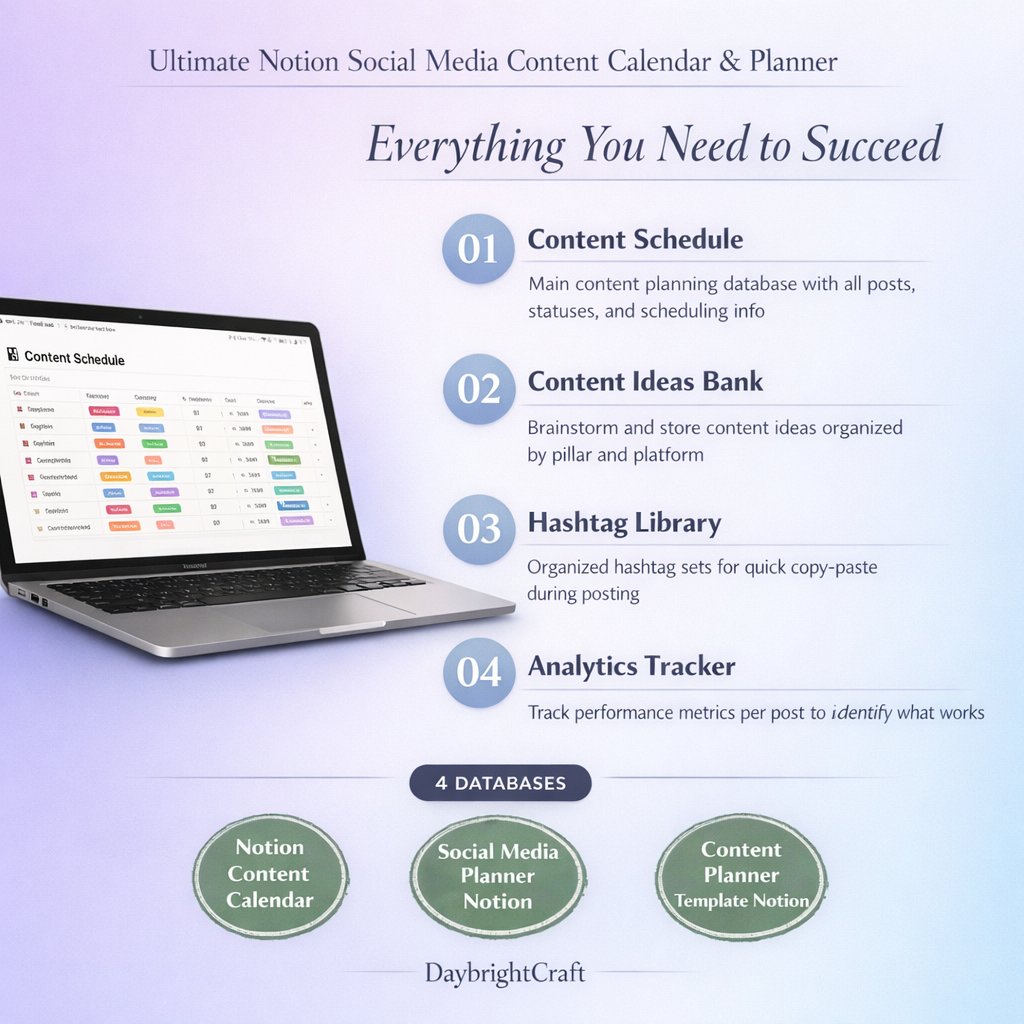
Notion Content Calendar: Ultimate Guide to Social Media Planning
Managing social media content across multiple platforms can feel overwhelming, especially when you’re juggling different posting schedules, content types, and engagement strategies. That’s where a Notion content calendar becomes your secret weapon for streamlined social media management. This comprehensive guide will show you exactly how to leverage Notion’s powerful database features to create an organized, efficient content planning system that saves time and boosts your social media performance.
Whether you’re a solopreneur, small business owner, or part of a marketing team, implementing a structured content calendar in Notion will transform how you approach social media strategy. Let’s dive into the step-by-step process of setting up and optimizing your content planning workflow.
Why Choose a Notion Content Calendar Over Other Tools?
Before we explore the setup process, it’s important to understand why Notion stands out as the ideal platform for content calendar management. Unlike traditional calendar apps or basic spreadsheets, Notion offers unparalleled flexibility and customization options that adapt to your unique business needs.
Here are the key advantages of using a Notion content calendar:
- All-in-one workspace: Combine your content calendar with project management, team collaboration, and resource storage in one platform
- Customizable database views: Switch between calendar, board, table, and timeline views to visualize your content from different perspectives
- Advanced filtering and sorting: Organize content by platform, status, content type, or any custom property you create
- Template functionality: Create reusable content templates to maintain consistency across your posts
- Collaboration features: Share your calendar with team members and assign tasks with clear ownership
- Integration capabilities: Connect with other tools in your marketing stack for seamless workflow automation
Setting Up Your Notion Content Calendar Database
The foundation of an effective Notion content calendar lies in creating a well-structured database that captures all the essential information about your content. Here’s how to build your content calendar from scratch:
Essential Database Properties
Start by creating a new database in Notion and add these fundamental properties:
- Title: The main heading or description of your content piece
- Platform: Select property with options like Instagram, Facebook, Twitter, LinkedIn, TikTok
- Content Type: Select property including options like Photo, Video, Carousel, Story, Reel
- Status: Select property with stages like Idea, In Progress, Ready to Post, Published
- Publish Date: Date property for scheduling your content
- Caption: Text property for your post copy
- Hashtags: Multi-select property for organizing your hashtag strategy
- Visual Assets: Files property for storing images, videos, or graphics
- Performance Metrics: Number properties for tracking likes, shares, comments, and reach
- Campaign: Relation property to link content to specific marketing campaigns
Creating Multiple Views for Different Perspectives
One of the most powerful features of a Notion content calendar is the ability to view your data in multiple formats. Set up these essential views:
- Calendar View: Perfect for visualizing your posting schedule and identifying content gaps
- Board View: Organize content by status to track progress through your content creation pipeline
- Table View: Detailed spreadsheet-style view for bulk editing and data analysis
- Timeline View: Ideal for planning long-term campaigns and content series
Optimizing Your Content Planning Workflow
Now that your database structure is in place, let’s focus on creating an efficient workflow that streamlines your content creation process. A well-optimized Notion content calendar should support every stage of your content lifecycle, from initial brainstorming to performance analysis.
Content Ideation and Brainstorming
Use your Notion calendar to capture content ideas as they come to you. Create a dedicated view filtered to show only items with “Idea” status, and regularly review this list during your content planning sessions. Consider adding these additional properties to enhance your ideation process:
- Content Pillar: Categorize ideas based on your brand’s core themes
- Inspiration Source: Track where ideas originated (competitor analysis, trending topics, customer feedback)
- Priority Level: Rank ideas based on strategic importance or time sensitivity
Batch Content Creation
Maximize efficiency by batching similar content creation tasks. Use your Notion calendar to:
- Group content by type or platform for focused creation sessions
- Set realistic deadlines for each stage of content development
- Track which team members are responsible for different aspects of content creation
- Store brand guidelines, style guides, and asset libraries within your workspace
Advanced Features for Professional Content Management
Take your Notion content calendar to the next level with these advanced features that separate professional content managers from casual users.
Automated Workflows and Templates
Create content templates for different post types to maintain consistency and speed up your creation process. For example, develop templates for:
- Product announcements with standardized copy structure
- Behind-the-scenes content with consistent hashtag sets
- Educational posts with formatted tips and call-to-actions
- User-generated content features with proper attribution guidelines
Performance Tracking and Analytics
Transform your content calendar into a powerful analytics tool by regularly updating performance metrics. Create calculated properties to track:
- Engagement rates by platform and content type
- Best performing posting times and days
- Hashtag effectiveness across different campaigns
- ROI for promoted or sponsored content
Team Collaboration and Approval Workflows
If you’re working with a team, implement approval workflows within your Notion calendar:
- Add “Assigned To” properties for clear task ownership
- Create approval status tracking with reviewer comments
- Set up notification systems for deadline reminders
- Establish content review cycles with stakeholder feedback loops
Best Practices for Notion Content Calendar Success
To maximize the effectiveness of your Notion content calendar, follow these proven best practices that successful content creators and marketers swear by:
Consistency and Maintenance
Your content calendar is only as good as the information it contains. Establish these habits:
- Schedule weekly calendar reviews to plan upcoming content
- Update performance metrics within 48 hours of posting
- Archive old content regularly to keep your workspace clean
- Backup your calendar data monthly to prevent loss
Strategic Planning Integration
Connect your content calendar to broader business objectives:
- Align content themes with product launches and seasonal campaigns
- Plan content around industry events and trending topics
- Balance promotional content with educational and entertaining posts
- Track how content performance impacts overall marketing KPIs
Getting Started with a Professional Template
While building a Notion content calendar from scratch is educational, many businesses prefer to start with a professionally designed template that includes all the essential features and best practices built-in. The Ultimate Notion Social Media Content Calendar & Planner provides a comprehensive solution that’s been tested and refined by successful content creators.
This template includes pre-configured database properties, multiple view options, content templates, and detailed setup instructions that can save you hours of initial configuration time. It’s particularly valuable for businesses that want to implement a professional-grade content management system without the learning curve of building everything from scratch.
Measuring Success and Continuous Improvement
The true power of a Notion content calendar lies not just in organization, but in the insights it provides for continuous improvement. Regularly analyze your calendar data to identify patterns and opportunities:
- Which content types generate the highest engagement?
- What posting times and frequencies work best for your audience?
- How does content performance vary across different platforms?
- Which campaigns or themes resonate most with your target market?
Use these insights to refine your content strategy, adjust your posting schedule, and focus your efforts on the most effective content types and platforms.
Implementing a comprehensive Notion content calendar transforms social media management from a chaotic, reactive process into a strategic, data-driven operation. By following the guidelines and best practices outlined in this guide, you’ll create a content management system that not only saves time and reduces stress but also drives better results for your business.
Remember that the most effective content calendar is one that evolves with your business needs and incorporates lessons learned from your content performance data. Start with a solid foundation, maintain consistent habits, and continuously refine your approach based on what works best for your unique audience and business objectives.
Leave a Reply